
Download BunnyRSS APK – RSS News App, Magazine App, Customizable Feed Reader
Overview
BunnyRSS is a free Android application designed for users seeking a clean, ad-free environment to consume news from a wide range of sources. Developed by Alexvk, the app falls under the Education & Reference category and functions as a customizable RSS feed reader. It enables users to aggregate content from various websites, including those covering technology, video games, cinema, international and national affairs, sports, and more. By pulling content directly from RSS feeds, BunnyRSS ensures timely delivery of updates without relying on third-party content curation.
The app is ideal for individuals who prefer a minimalist, distraction-free reading experience and want full control over their news sources. It caters to both casual readers and those with specific informational needs, such as researchers, students, and professionals monitoring industry trends. Since the app does not generate or modify content, all information displayed is sourced directly from the original media outlets through their RSS feeds.
Real-world usage scenarios include daily news monitoring, tracking updates from niche blogs, and organizing content from multiple websites into a single, personalized dashboard. The developer did not provide additional system requirements, and no user statistics or performance benchmarks were listed.
Key Features & Capabilities
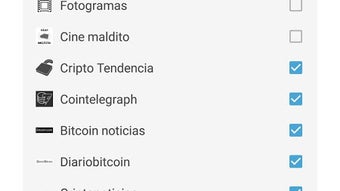
- Customizable RSS Feed Aggregation – Users can add, remove, or manage RSS feeds based on personal interests, ensuring only relevant content is displayed.
- Ad-Free Reading Experience – BunnyRSS delivers news without advertisements, promoting a focused and uninterrupted reading session.
- Real-Time Notifications – The app notifies users when new articles are published from their subscribed feeds, helping them stay up to date without manual checking.
- Personalized Themes – A dedicated tab allows users to change the app’s color theme, enhancing visual comfort and personal preference.
- Favorite Articles – Users can mark articles as favorites for quick access and future reference.
- Content Source Transparency – All content remains under the ownership of the original media sources, with no modifications or summaries created by the app.
These features support efficient content consumption by allowing users to tailor the app to their preferences. For example, a technology enthusiast can subscribe to tech blogs and receive instant alerts when new reviews or updates are published. Similarly, a student researching global affairs can monitor multiple news outlets through a unified interface. The app’s reliance on standard RSS protocols ensures compatibility with a broad range of websites that support feed publishing.
User Interface, Workflow & Performance
BunnyRSS features a clean, intuitive interface designed for ease of navigation. The layout emphasizes readability, with articles presented in a structured list format that prioritizes headlines, publication dates, and source information. Navigation is straightforward, allowing users to switch between feeds, access favorites, and adjust settings with minimal taps.
Workflow efficiency is enhanced by the ability to quickly mark articles as favorites and receive push notifications for new content. The app’s performance is consistent with typical Android feed readers, though exact performance details were not specified. The developer did not provide information on CPU or RAM usage, so users should monitor resource consumption during extended use.
Stability appears to be a priority, as the app supports ongoing updates and has maintained a stable release cycle. However, specific feedback on crashes or background behavior was not included in the provided data. General software behavior patterns suggest smooth operation on modern Android devices, but actual performance may vary based on device hardware and network conditions.
Compatibility & System Requirements
BunnyRSS is designed for Android devices and is compatible with the latest versions of the operating system. The app’s latest version, 1.3.0, was released on January 1, 2025. Installation size information was not provided, nor were specific hardware requirements such as RAM or processor specifications.
Platform compatibility information is limited to Android, and no details were given about support for tablets, wearables, or other form factors. The developer did not specify whether the app requires an internet connection for all functions, though feed updates and notifications depend on active connectivity.
Exact system requirements were not listed. Users are advised to install the app through official channels to ensure security and compatibility. The app does not appear to require root access or special permissions beyond standard network and notification access.
Pros and Cons
Pros
- Free to download and use with no in-app purchases
- Ad-free reading experience enhances focus and usability
- High level of customization, including theme selection and feed management
- Real-time notifications keep users informed of new content
- Supports a wide variety of RSS feeds from diverse topics
Cons
- Installation size and hardware requirements not disclosed
- Limited information on performance under heavy usage
- No official desktop or web version available
- Requires users to manually find and add RSS feeds
- Depends entirely on external feed availability and reliability
FAQ Section
Is BunnyRSS available for iOS devices?
BunnyRSS is currently only available for Android. There is no official version for iOS or other mobile platforms.
Does BunnyRSS store my data locally?
The app may store feed data and user preferences locally for offline access. However, no details were provided on data retention policies or cloud synchronization.
Can I use BunnyRSS without an internet connection?
Basic access to previously downloaded articles is possible offline. However, new content and notifications require an active internet connection.
How do I add new RSS feeds to BunnyRSS?
Users can manually enter the RSS feed URL in the app’s settings. The app does not include a built-in feed discovery tool.
Is BunnyRSS safe to download and use?
As a free app from a known developer, BunnyRSS is considered secure when downloaded from trusted sources. Always verify the APK file from official channels to avoid tampering.
Final Thoughts + CTA
BunnyRSS delivers a focused, customizable, and ad-free experience for users who value control over their news consumption. Its ability to aggregate diverse RSS feeds, notify users of new content, and support personalization makes it a strong choice for readers seeking a streamlined alternative to mainstream news platforms. While it lacks detailed system specifications and desktop support, its core functionality is solid and well-executed.
Professionals, students, and tech-savvy individuals who rely on timely updates from niche sources will benefit most from this tool. For those tired of cluttered interfaces and intrusive ads, BunnyRSS offers a refreshing and efficient solution.
Download BunnyRSS now







